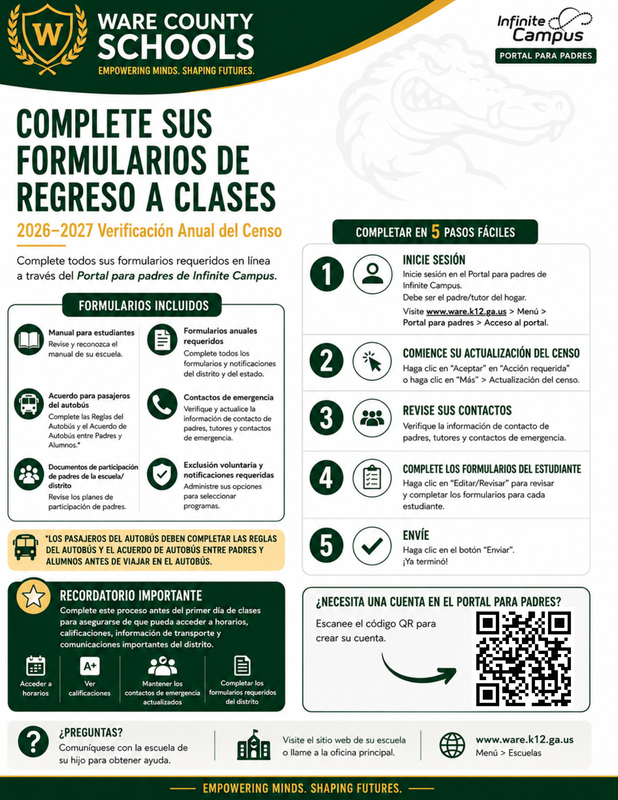
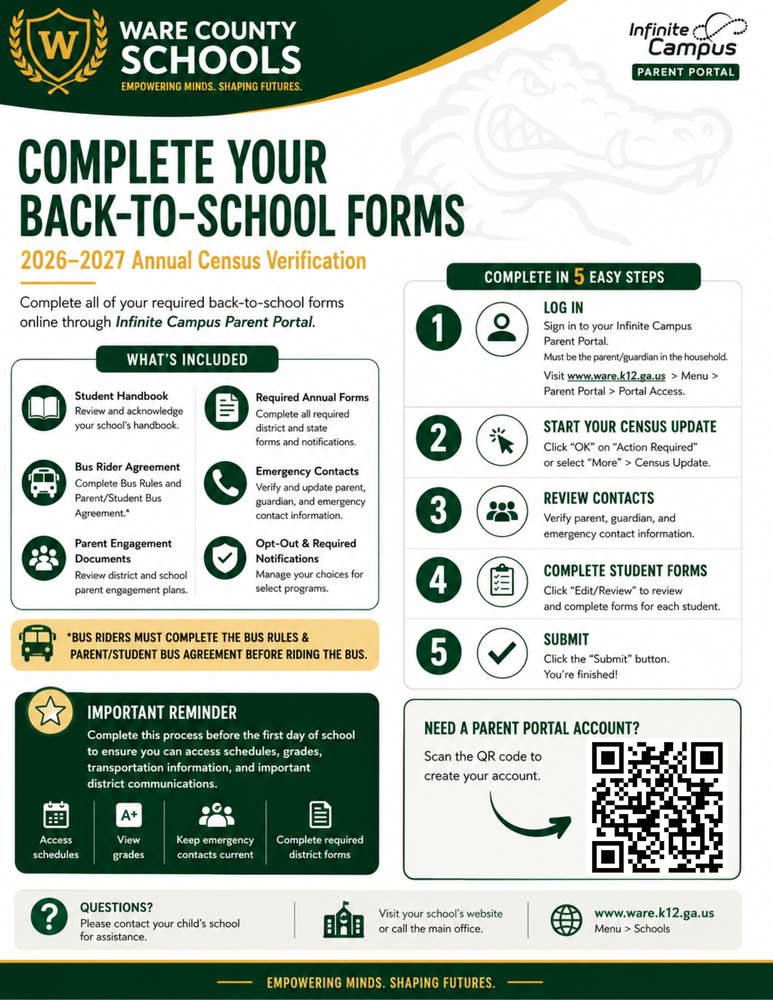
Ware County Schools families must complete the Census Verification Annual Update through the Infinite Campus Parent Portal before the first day of school.
This online process allows families to review and update important household, contact, emergency, and student information for the new school year. It also provides access to required annual documents and forms.
Completing the update before school begins helps ensure families can access:
Student schedules
Grades
Transportation information
Important district and school communications
Student handbooks
Parent engagement plans
School compacts
Attendance policies
Opt-out forms
Bus rules and the Parent/Student Bus Agreement
Other required annual forms
Bus Rider Requirement
All students who plan to ride a Ware County Schools bus must have a completed Bus Rules and Parent/Student Bus Agreement on file.
How to Complete the Annual Update
Log in to the Infinite Campus Parent Portal at
.
Select
“OK”
when the Action Required message appears, or select
“More”
and then
“Census Update.”
Review and update your household, contact, and emergency information.
Complete the required forms for each student in your household.
Select
“Submit”
to complete the process.
Please complete the Census Verification Annual Update before the first day of school to ensure you can access schedules, grades, transportation information, and important district communications.
Need Help?
Families who need assistance creating a Parent Portal account or completing the update should contact their child’s school.
Information and instructions are also available in Spanish.